
Mealy on your wrist.
The Mealy app for Garmin watches. Three pages, a few buttons, and your whole day on your wrist. Here is every screen.
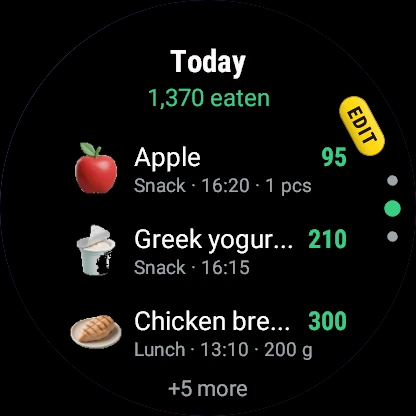
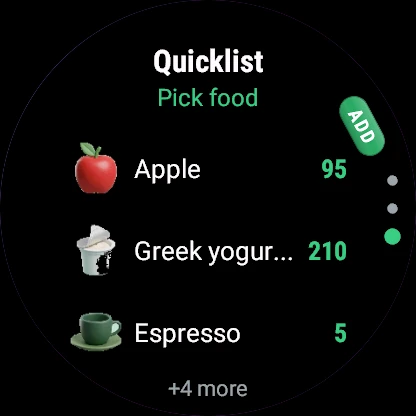
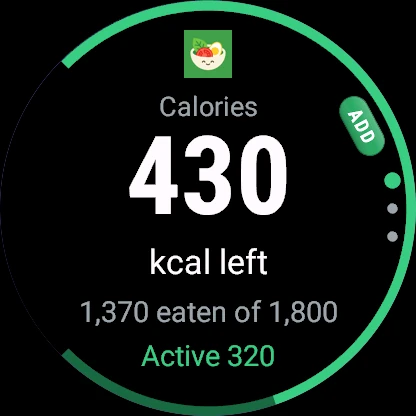
Calories left, at a glance
One look at your wrist shows what's left today.
Add in two presses
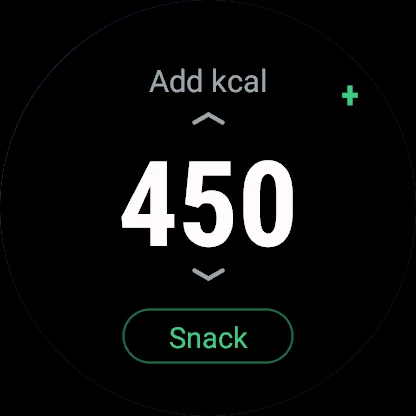
Pick a food from your Quicklist, then confirm.
Fix it from the watch
Change a number or remove an entry. Undo is one press away.
Works with your phone
Phone out of reach? The watch keeps your adds and sends them later.
Garmin is a trademark of Garmin Ltd. or its subsidiaries. Mealy is an independent app. Screens are from the real Mealy watch app.
The tour
Three pages, one press apart
Mealy opens on Calories. Press  DOWN for Today, then DOWN again for your Quicklist.
 UP goes back.
The small green or yellow tab beside  START tells you what that button does on this page.
Add from your Quicklist
Two presses of START put a food you eat often into your day.
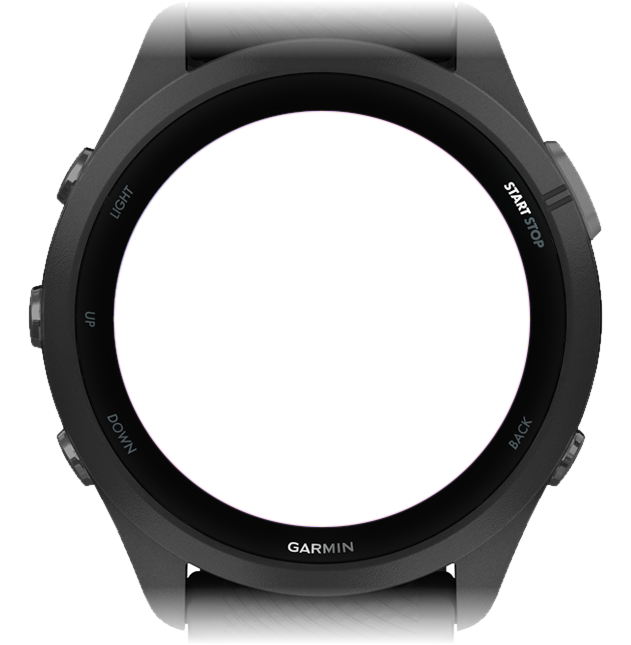
Open your Quicklist
Press DOWN twice from Calories. The foods you save are on the third page.
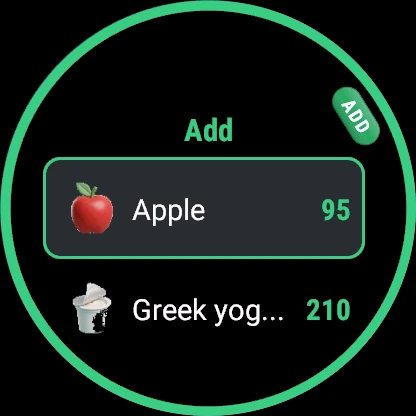
Pick a food
Press START. The ring turns green. Use UP and DOWN to move to the food.
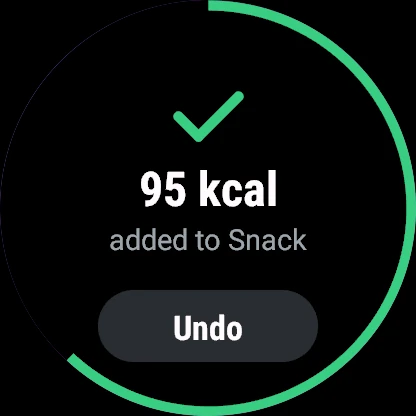
Done
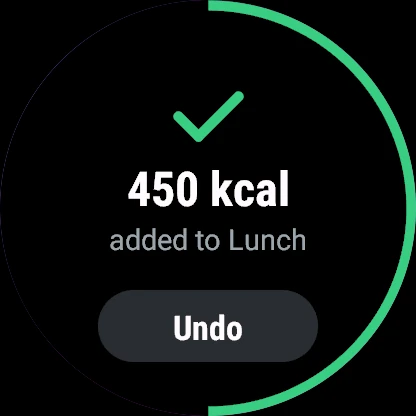
Press START again. It is added to the meal, and Undo stays for 5 seconds.
Fix your day
Change a number, or remove an entry, without taking out your phone.
Open Today
Press START on the Today page to edit. The yellow EDIT tab beside it says so.
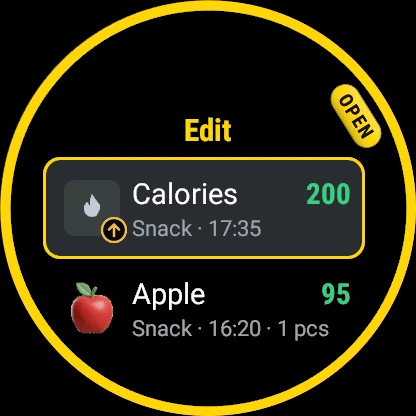
Pick the entry
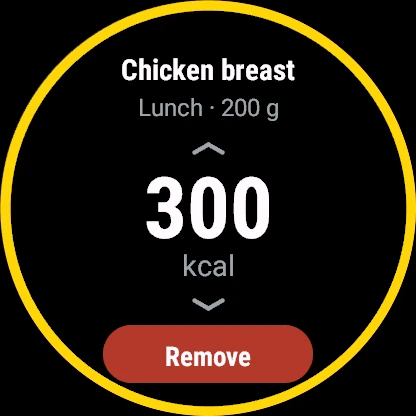
The ring turns yellow. Move with UP and DOWN. Press START to open the entry.
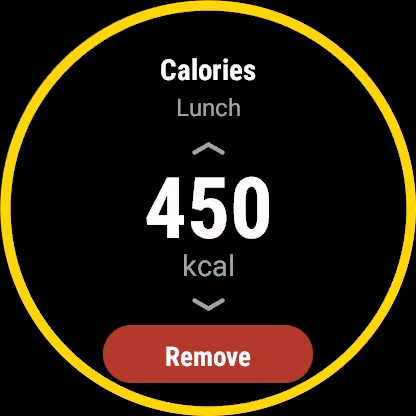
Change it
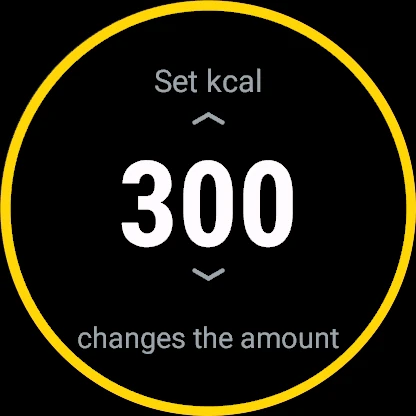
UP and DOWN change the number one step. Tap the number to type it. Remove is the red button.
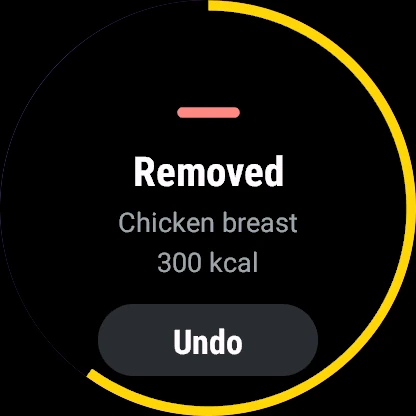
Undo if you slip
A removed entry shows Undo for 5 seconds. Nothing asks you twice.
Every screen, and how you get there
Each arrow starts at the button you press. Read it from left to right: START goes in,  BACK comes back.
Swipe sideways to follow the arrows
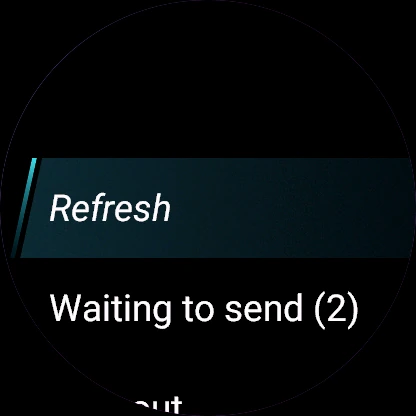
Hold UP on any of the three pages opens the menu: Refresh, Sign out and Version. BACK on a page leaves the app. On the first and last page, UP and DOWN do nothing more.
Four buttons, the same rules everywhere
You never have to learn a screen. Each button does one thing.
UP / DOWNMove
Next page. Next row in a list. One step on a number.
STARTGo in, or confirm
Opens a mode or an entry, and confirms. The tab beside it says what it does: ADD in green, EDIT in yellow.
BACKGo back
One step back. Inside a mode it returns to the list. On a page it leaves the app.
Hold UPOptions
On a page: the menu. On an entry: Set kcal, Mark eaten and Remove.
The small tab tells you what needs a look
It sits at 9 o'clock, beside the UP button, and only shows up when something needs your attention.
All good: no tab
When everything is fine, the watch shows nothing extra. A tab only appears when something needs your eye.
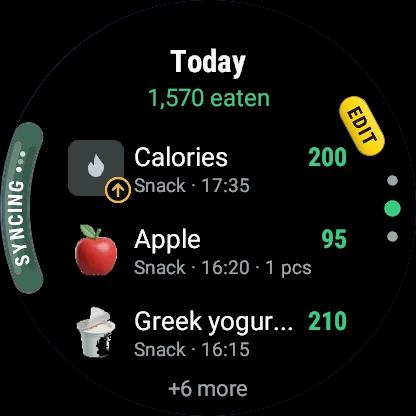
SYNCING
A fresh copy is loading. The last copy stays on screen and you can keep using it.
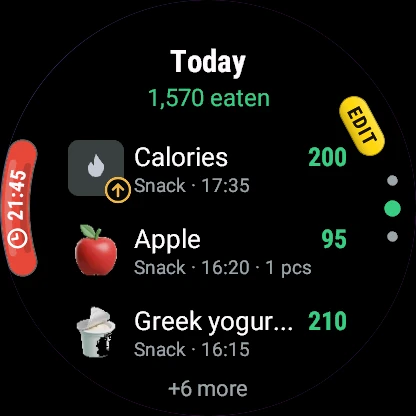
The time, in red
The update did not come through. The tab shows how old the list is. The list stays usable.
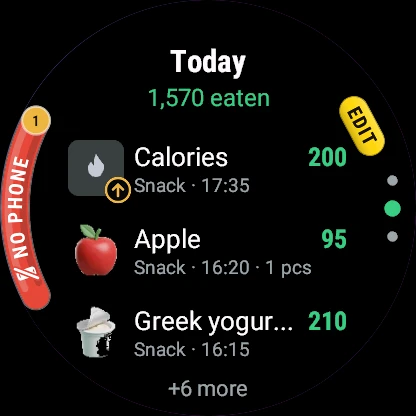
NO PHONE
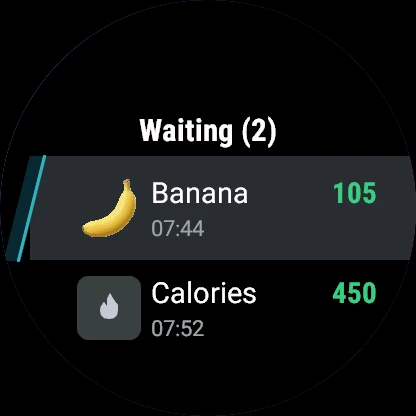
Your phone is not connected. A small number says how many adds are waiting on the watch.
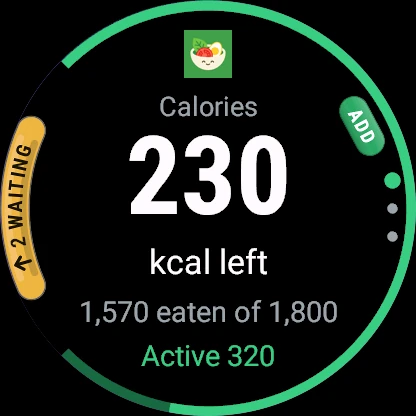
N WAITING
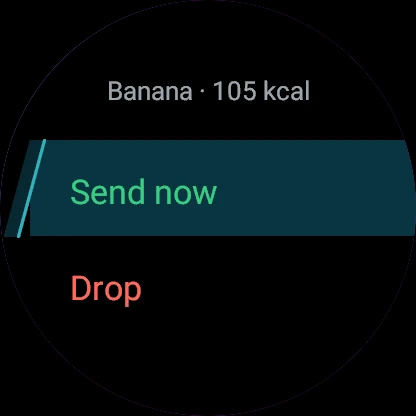
Adds kept on the watch are waiting to be sent. Hold UP and choose Waiting to send to send or drop them.
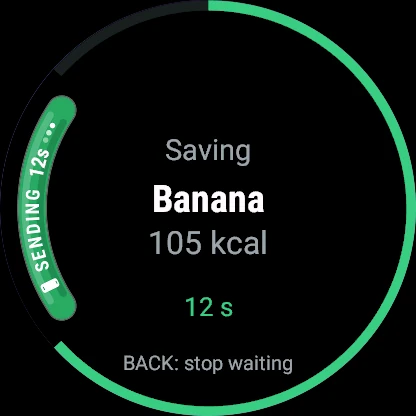
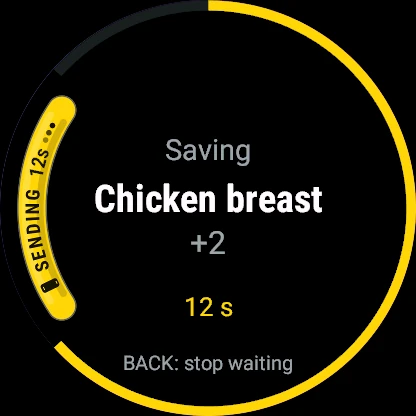
SENDING
Your add is on its way to the phone. The ring empties over 15 seconds. BACK stops waiting.
When your phone is out of reach
The watch talks to Mealy through your phone. When the phone is away, the watch keeps working.
Nothing freezes
The ring empties over 15 seconds. Press BACK any time to stop waiting.
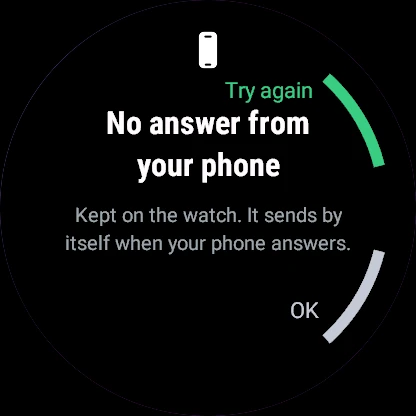
No answer: kept
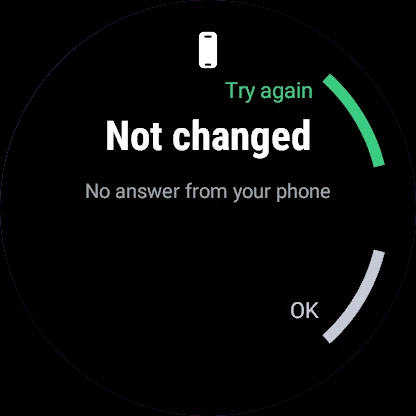
After 15 seconds your add is kept on the watch. It sends by itself when the phone answers.
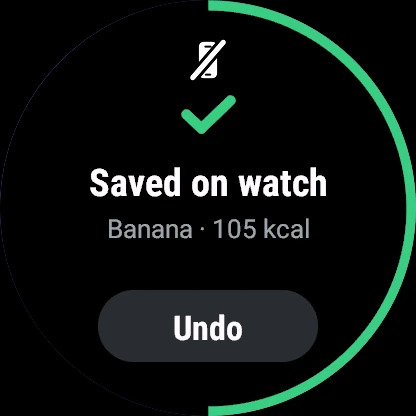
Phone away: saved on watch
If the watch knows the phone is away, the add is saved on the watch at once, with Undo.
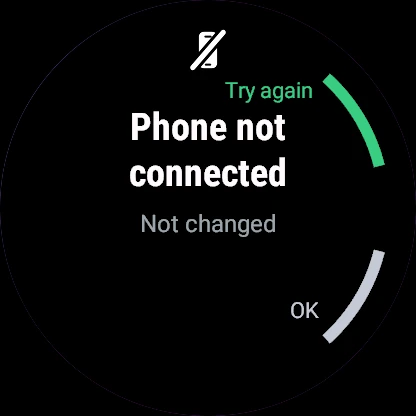
Fixes need the phone
Changing or removing an entry needs the phone. Without it, nothing is sent and nothing changes.
The waiting screens, step by step
What happens after you add or change something, and how to send or drop what is waiting.
Swipe sideways to follow the arrows
Your day, on your wrist.
The Mealy app for Garmin watches is not out yet. Everything on this page is the real watch app.
Garmin and Forerunner are trademarks of Garmin Ltd. or its subsidiaries. Mealy is an independent app. Screens are from the real Mealy watch app, shown on a Forerunner 265.