
Calorie and macro tracker
Count what you eat. Skip the arithmetic.
Mealy tracks your calories and macros on your phone. One + adds any food. A free Garmin app puts your day on your wrist, and a Claude connector lets you log by chat.
- Phone appCalories and macros, in plain words
- Garmin watch appFreeA companion app for your wrist
- Claude connectorMCPWorks with Claude and any MCP client
- Web appopen today
- Androidcoming soon
- iPhoneafter Android
- Garmincoming soon
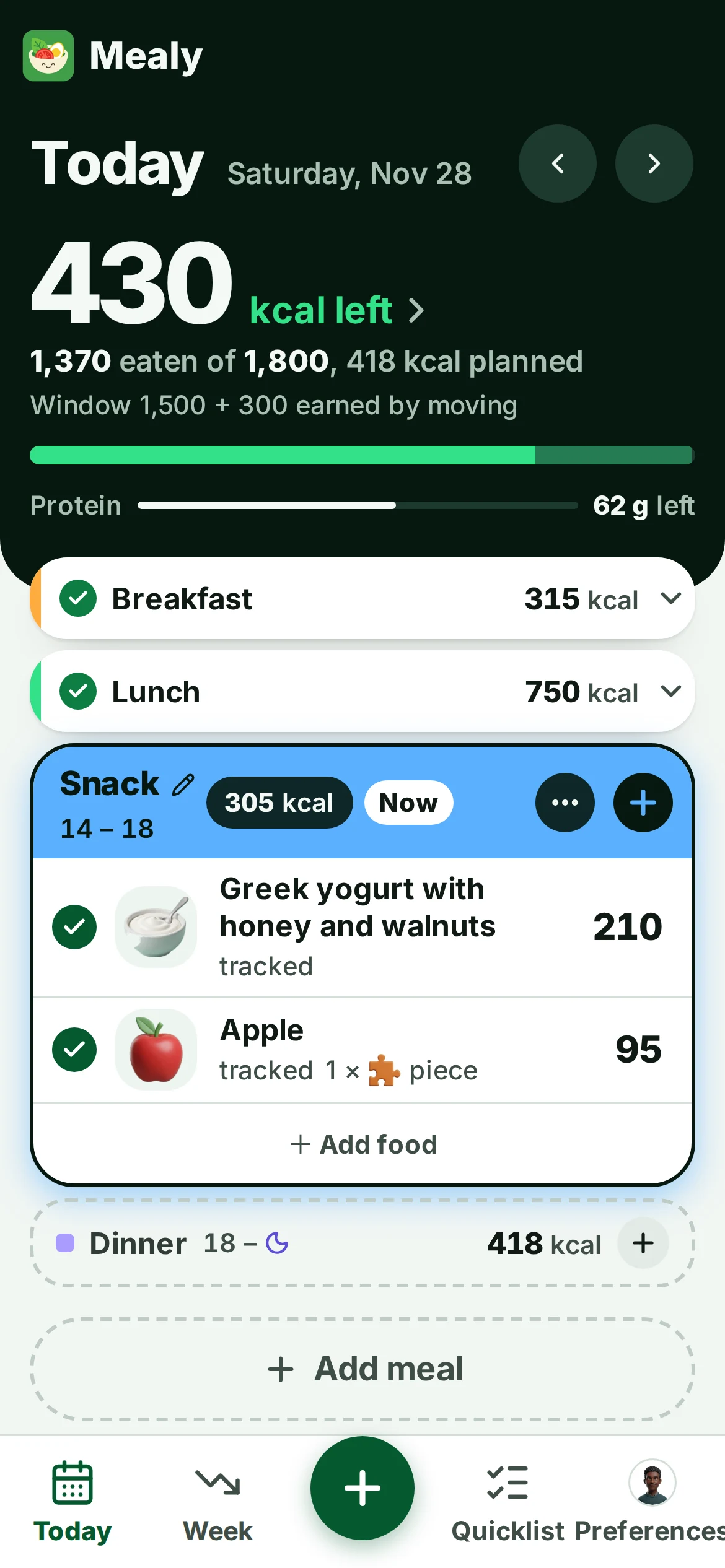
What's left for today?
Used Mealy · get_day
430 kcal left of 1,800. Dinner is planned: a chicken salad and a boiled egg, 418 kcal.
Example data for illustration. Every screen on this page shows one made-up day.
The phone app · Add food
One + adds any food.
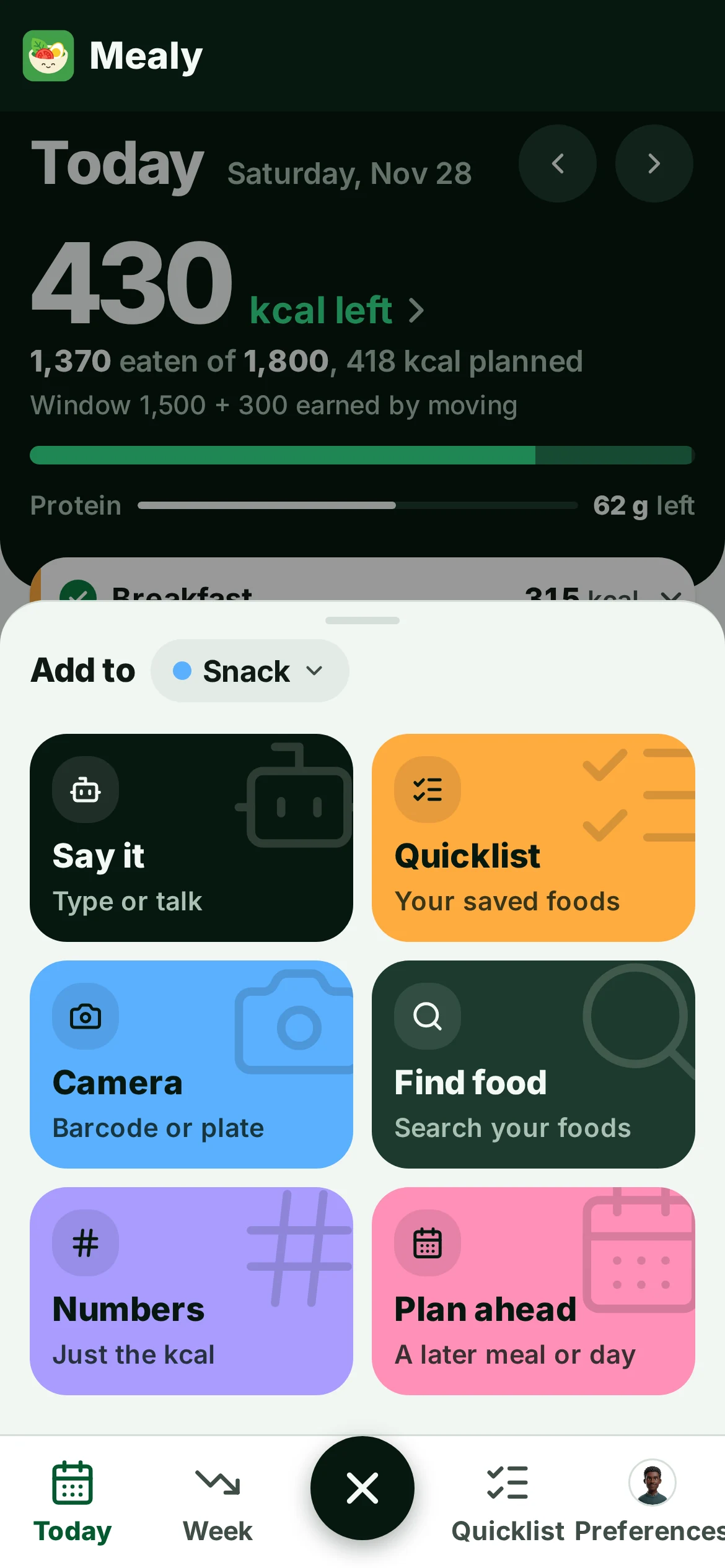
The green + sits in the middle of the tab bar. It opens six ways to add food, each ready for the meal you are in.
Every screen of the phone app- Say itType or talk, in your own words
- QuicklistYour saved foods, with pictures
- CameraScan a barcode or photograph your plate
- Find foodSearch the foods you have logged
- NumbersJust the calories, with a name if you like
- Plan aheadAdd to a later meal or another day
1 / 3 · The +
Tap the +, pick a way.
Six big tiles in one sheet. The food goes to the meal you are in, or to the meal whose + you tapped.
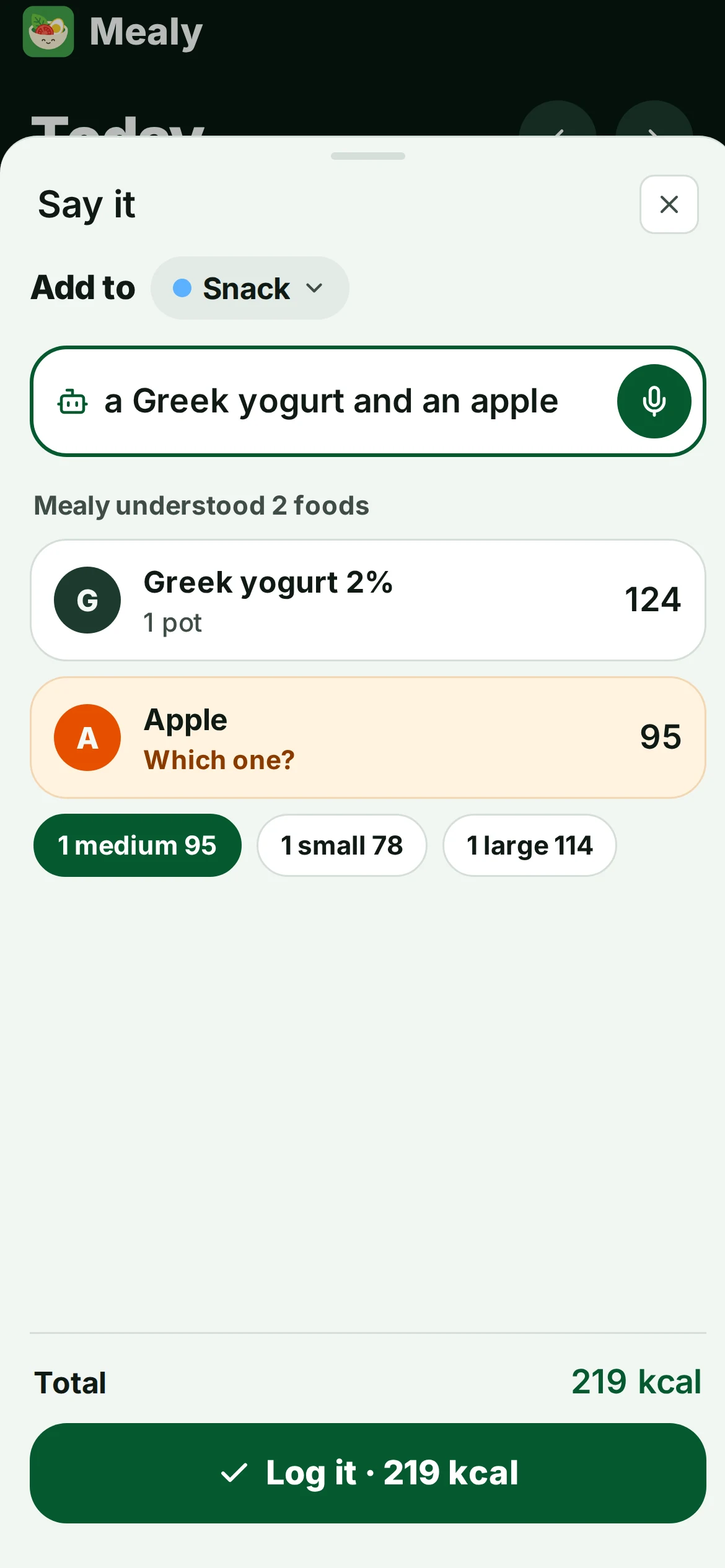
2 / 3 · Say it
Say what you ate, check it, log it.
Write “a Greek yogurt and an apple” or say it. Mealy shows each food with its calories and marks the ones it is unsure of. Tap a line to change it, then log it.
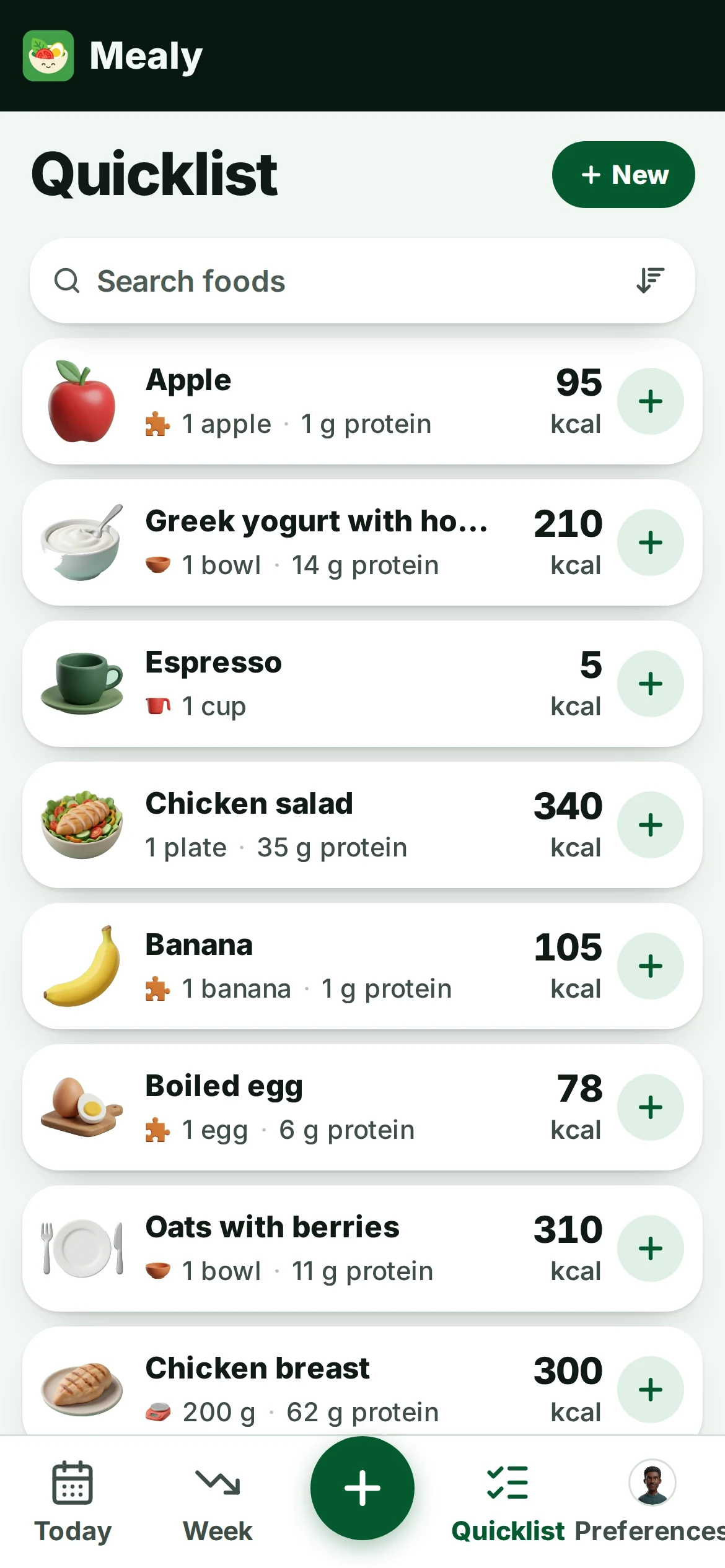
3 / 3 · Quicklist
Your usual foods are one tap away.
Each food shows its picture, serving and calories. The + beside it adds one serving to the meal you are in.
The phone app · Today
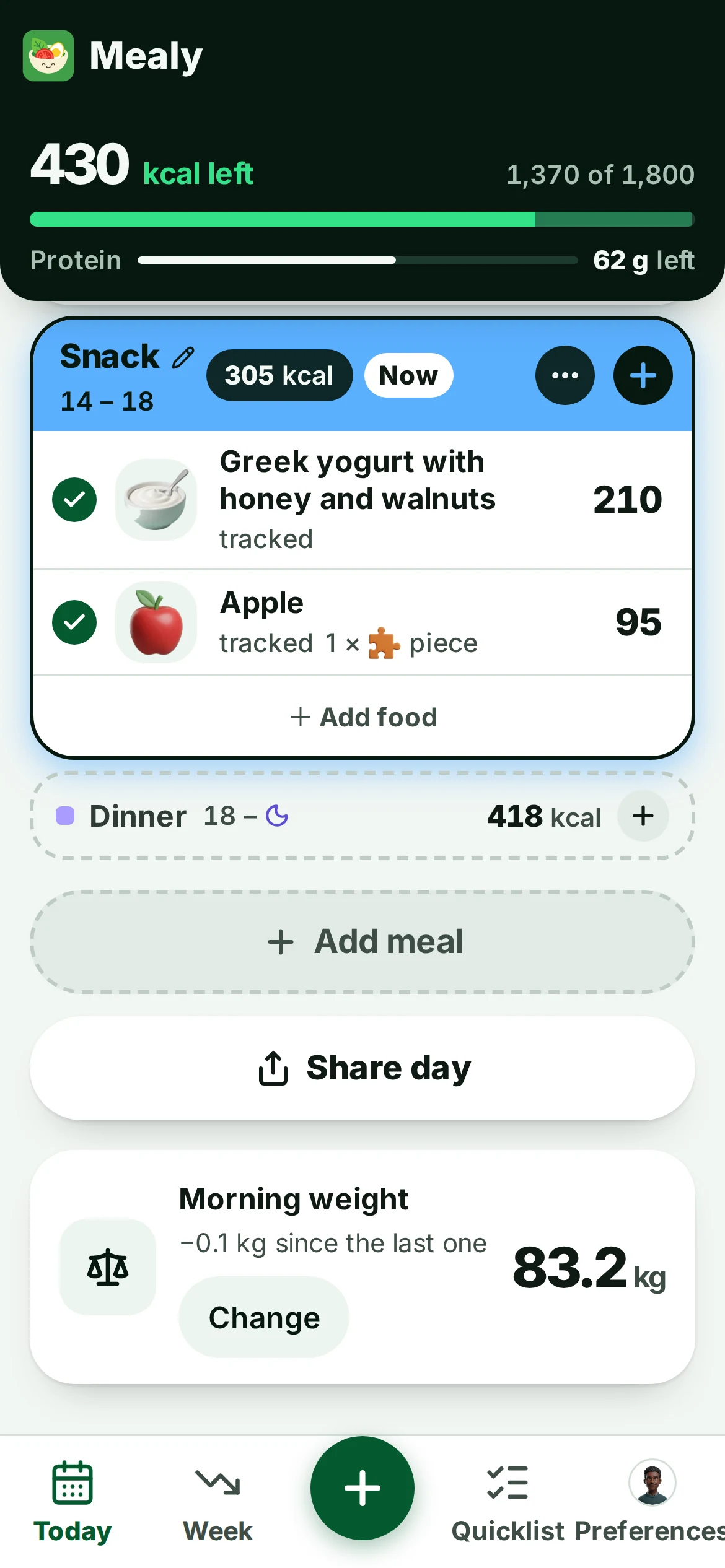
Today shows the meal you are in.
Meals keep their order through the day. The meal you are in stays open and lit.
1 / 3 · Now
The meal you are in stays open.
Earlier meals fold to one line with a check. Meals still to come are slim and dashed. The top shows what is left and one bar, green while you keep your deficit and coral past your target.
2 / 3 · Scroll
The top melts as you scroll.
Scroll down and the numbers shrink to a slim bar. The meal you are in pins under it, or a ribbon of the whole day shows where now is. You choose which in Preferences.
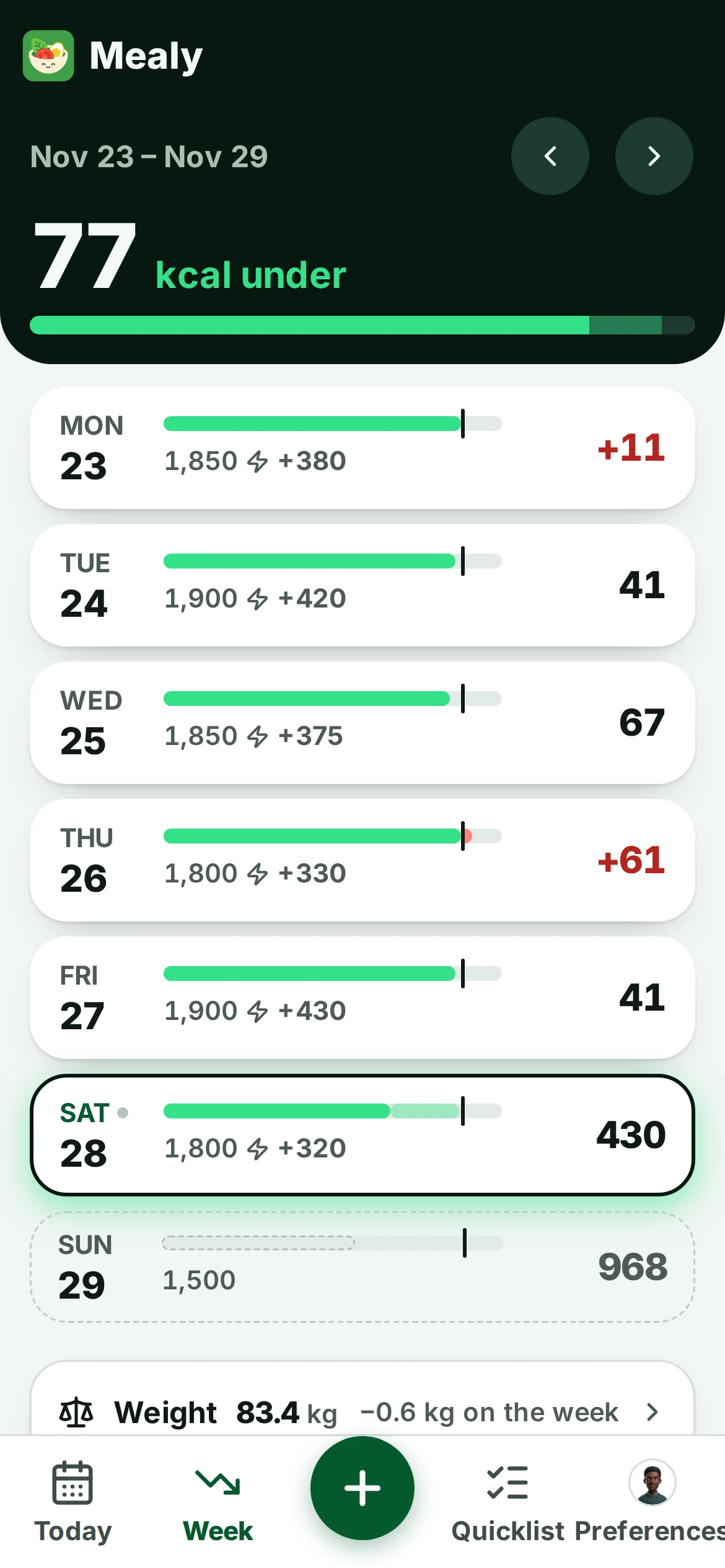
3 / 3 · Week
The whole week fits on one screen.
Each day is one bar against its own target, with one number: under, over or planned. Tap a day to see it, or open it as Today.
The phone app · First run
Sign up and you are on Today.
No questions first. Log food straight away, and start a plan when you want a target.
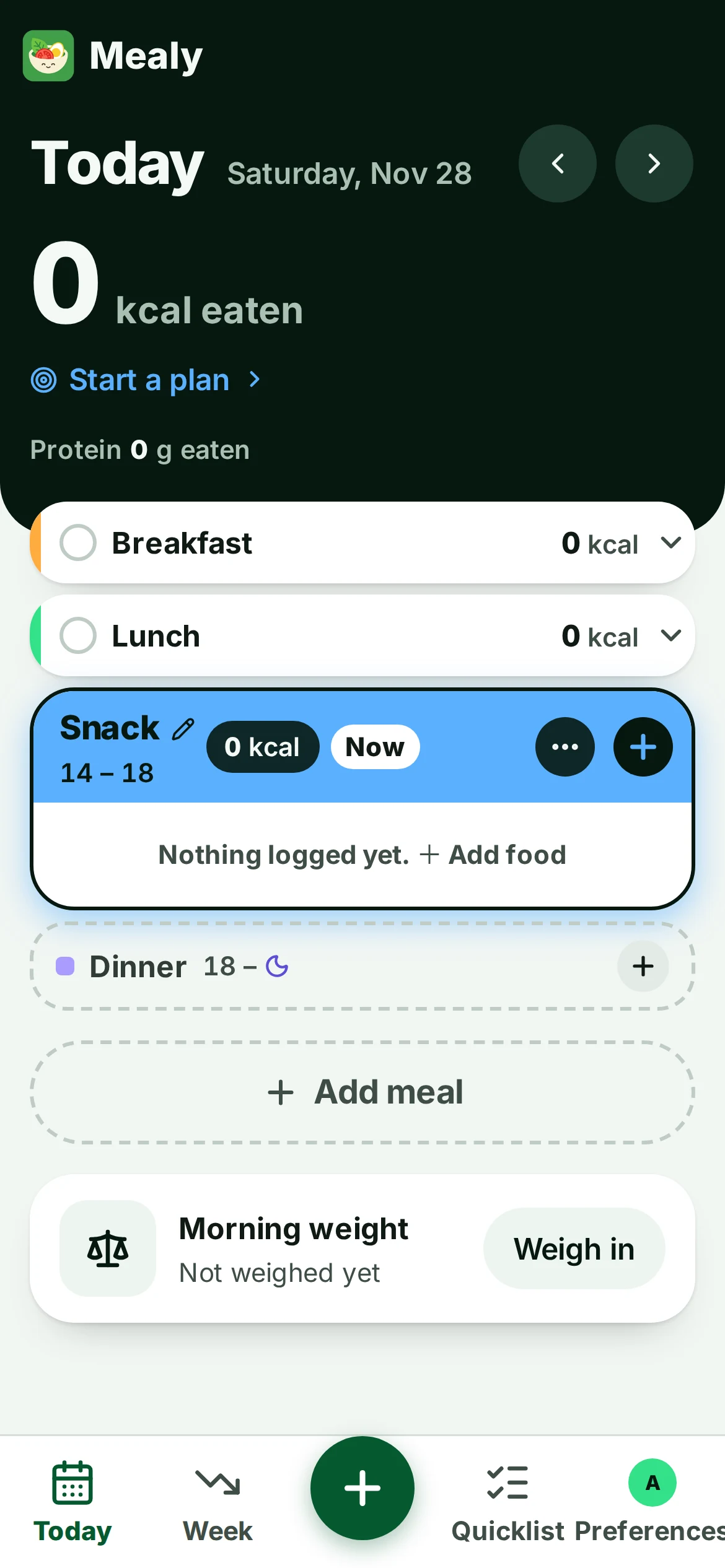
1 / 2 · Day one
You can log food from the first minute.
With no plan, the top counts what you eat. A quiet Start a plan link waits under the number.
2 / 2 · Your plan
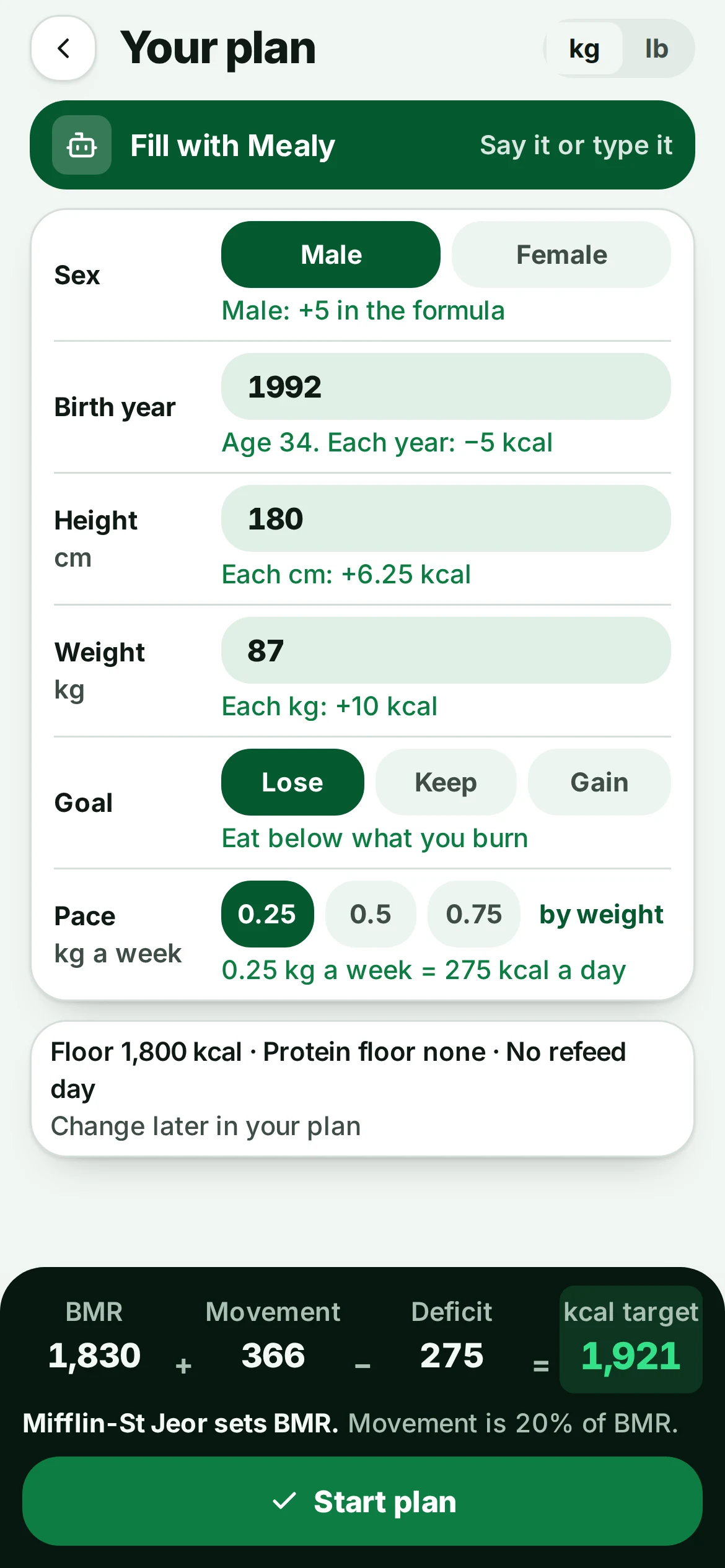
A plan fits on one screen and fills from one sentence.
Six fields: sex, age, height, weight, goal and pace. Fill with Mealy reads them from words like “I'm 34, 180 cm and 87 kg”. The sum at the bottom shows how your target is made.
Availability
Web app today. Android next. iPhone after.
The phone apps are being finished. The web app works now, with the same food log.
Web app
Open todayUse Mealy in any browser, on a computer or a phone.
Open the web appAndroid
Coming soonBeing finalised. No date yet.
iPhone
After AndroidWork starts once Android is out.
Garmin watch
Coming soonA free companion app. Preview screens below.
Your day on your wrist.
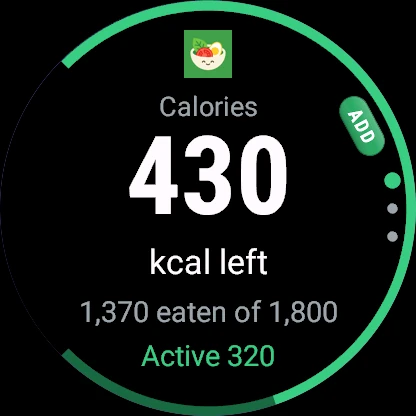
A free Garmin companion app for the numbers you check all day: calories left, what you ate, and a quick way to add more.
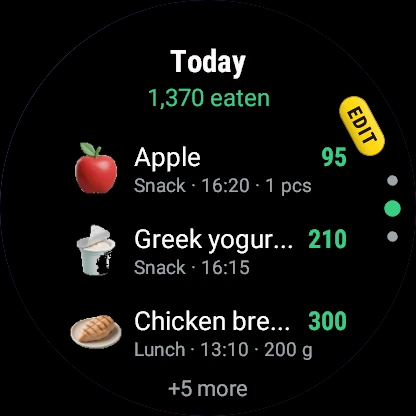
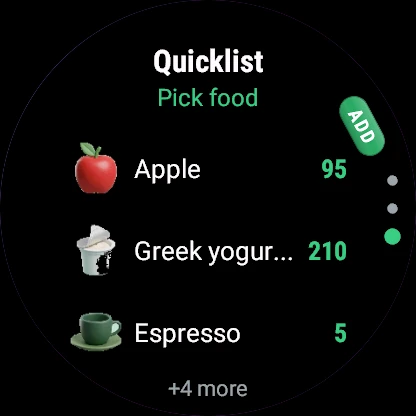
Preview screens. The Garmin app is not released yet.
Calories left, at a glance
Turn to the calorie page and see what is left today.
Add in two presses
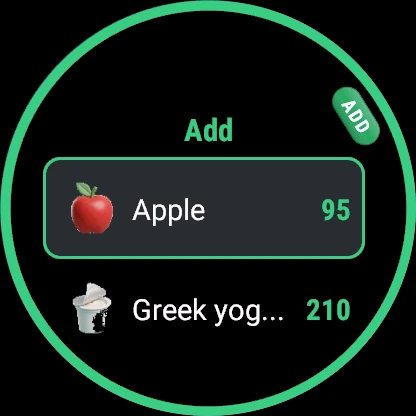
Pick a food from your Quicklist, or add calories in steps of 50.
Fix a slip
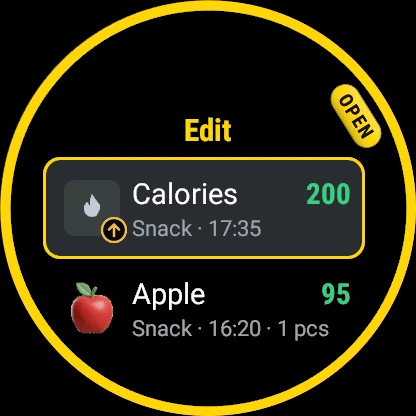
Change an entry or remove it. Undo is there for five seconds.
Phone out of reach
Your adds wait on the watch and go out when the phone is back.
The Garmin app · How it works
Log without taking out your phone.
Three moves, all with the watch buttons.
1 / 3 · Glance
Calories left, on one screen.
Turn to the calorie page: what you ate, what is left, and your active calories.
2 / 3 · Add
Pick a saved food, press START.
Scroll your Quicklist on the watch and press START to add one serving.
3 / 3 · Fix
Wrong portion? Fix it from your wrist.
Open an entry, change its calories, or remove it. No phone in your hand.
Garmin and Forerunner are trademarks of Garmin Ltd. or its subsidiaries. Mealy is an independent app. Preview screens, example data.
Claude connector · MCP
Ask Claude about your day.
Connect Mealy to Claude once. Then log a meal, ask what is left or check your week from any chat.
Works with Claude and any MCP client.
- In Claude, open Customize → Connectors and choose Add custom connector.
- Name it Mealy and paste this address:
https://api.mealy.fit/mcp - Sign in to Mealy and choose what Claude may do.
A Greek yogurt with honey and walnuts, and an apple.
Used Mealy · log_food
Logged to Snack: the yogurt (210 kcal) and an apple (95 kcal).
How am I doing today?
Used Mealy · get_day
430 kcal left of 1,800. Dinner is planned at 418 kcal, so you end the day 12 under.
Start today
Start with the web app today.
The Android and iPhone apps follow. Your account will be there when they arrive.
Can I use Mealy today?
Yes, in your browser. The Android app is being finalised, and the iPhone app comes after it.
Do I need a target?
No. You can log food without one. When you want a target, Your plan works it out on one screen.
Is the data on this page real?
No. Every screen on this page shows one made-up day, so no real person’s data is shown.
What does the Garmin app cost?
Nothing. The Garmin app is a free companion to Mealy. It is coming soon, with no date yet.
What is an MCP connector?
MCP is an open standard that lets an AI assistant use an app’s tools. Mealy’s connector works in Claude and in any other MCP client, after you sign in and choose what it may do.
What does Mealy cost?
Pricing has not been announced yet.