
The phone app · Early access
The Mealy phone app, screen by screen.
Mealy is being finished for Android, then iPhone. The web app has the same screens and works today. These are the current ones, from one made-up day.
- Web appopen today
- Androidcoming soon
- iPhoneafter Android
- Garmincoming soon
Example data for illustration. Every screen on this page shows one made-up day.
Screen tour
The screens you will use every day.
1 / 7
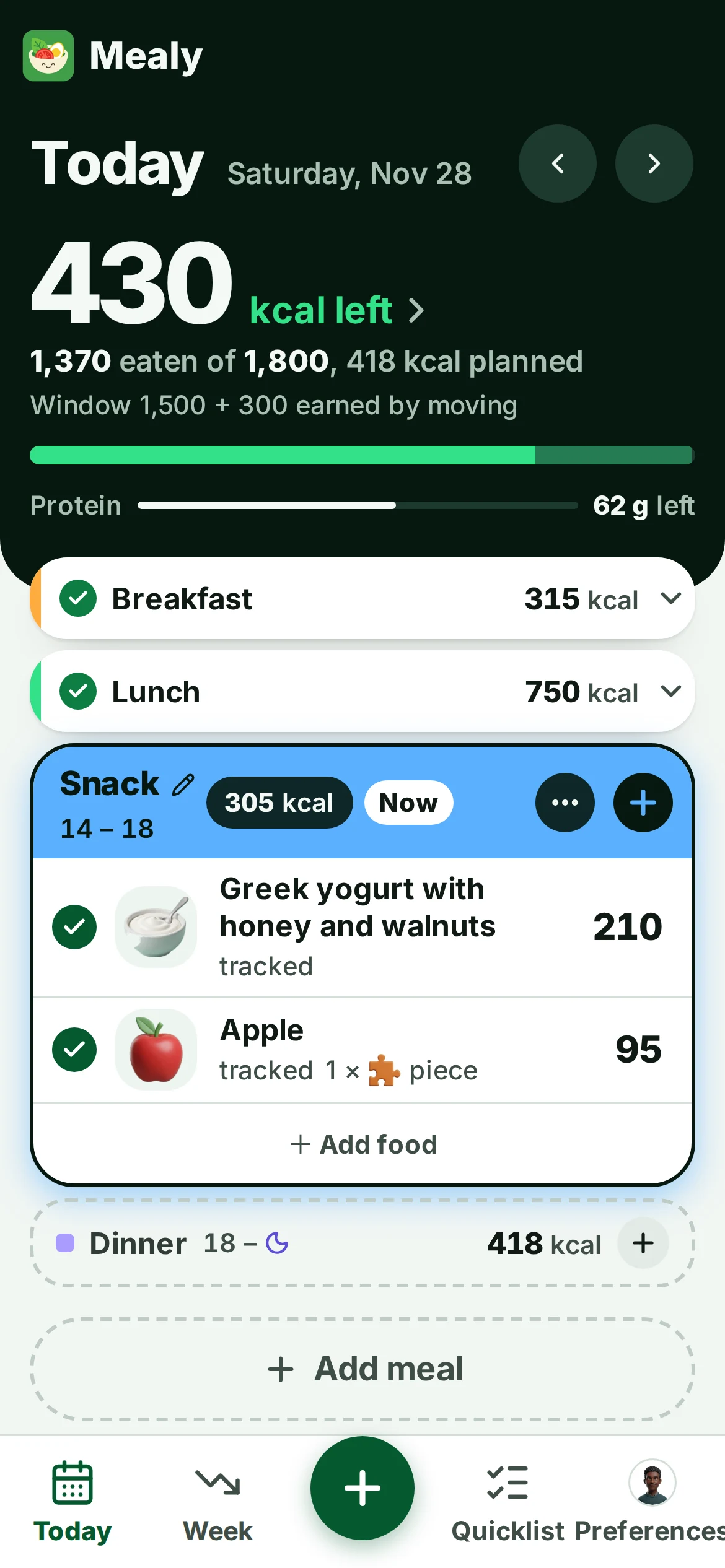
Your day
What is left of today’s calories, and one bar coloured by your deficit. The meal you are in is open and lit, and earlier meals fold to a line.
2 / 7
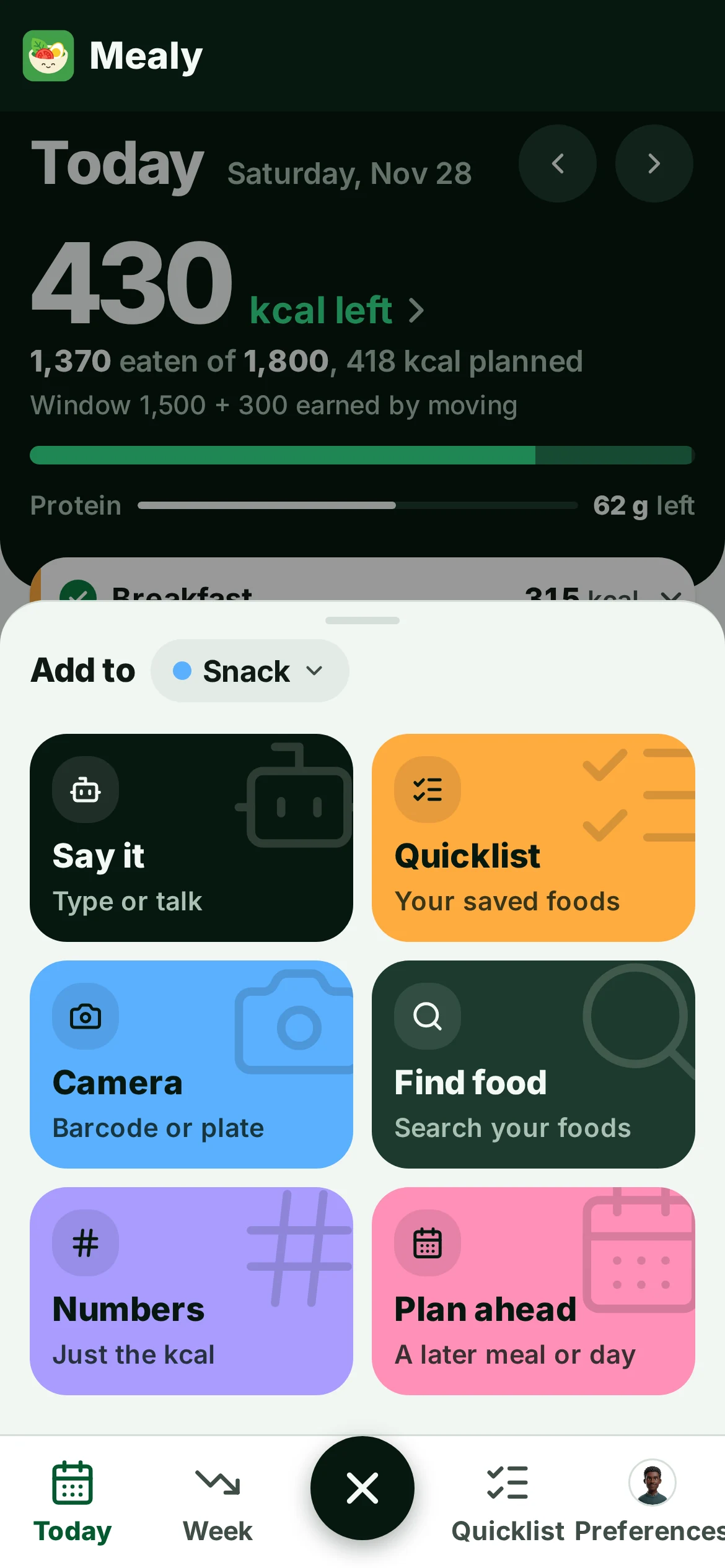
The + and its six ways
Say it, Quicklist, Camera with barcode and plate photo, Numbers, Plan ahead and Find food, in one sheet.
3 / 7
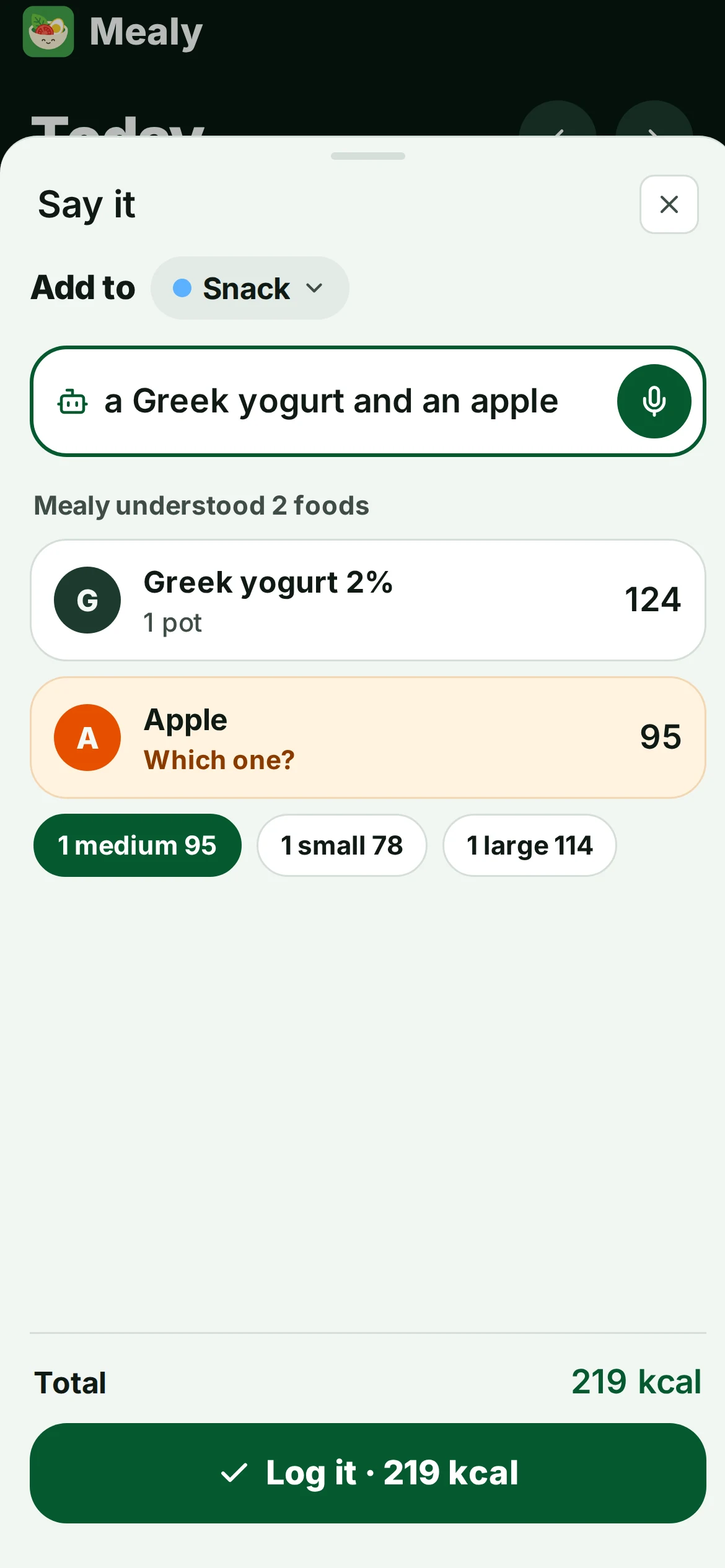
Say it
Type or say what you ate. Mealy shows the foods it understood, each with its calories, and you check them before anything is logged.
4 / 7
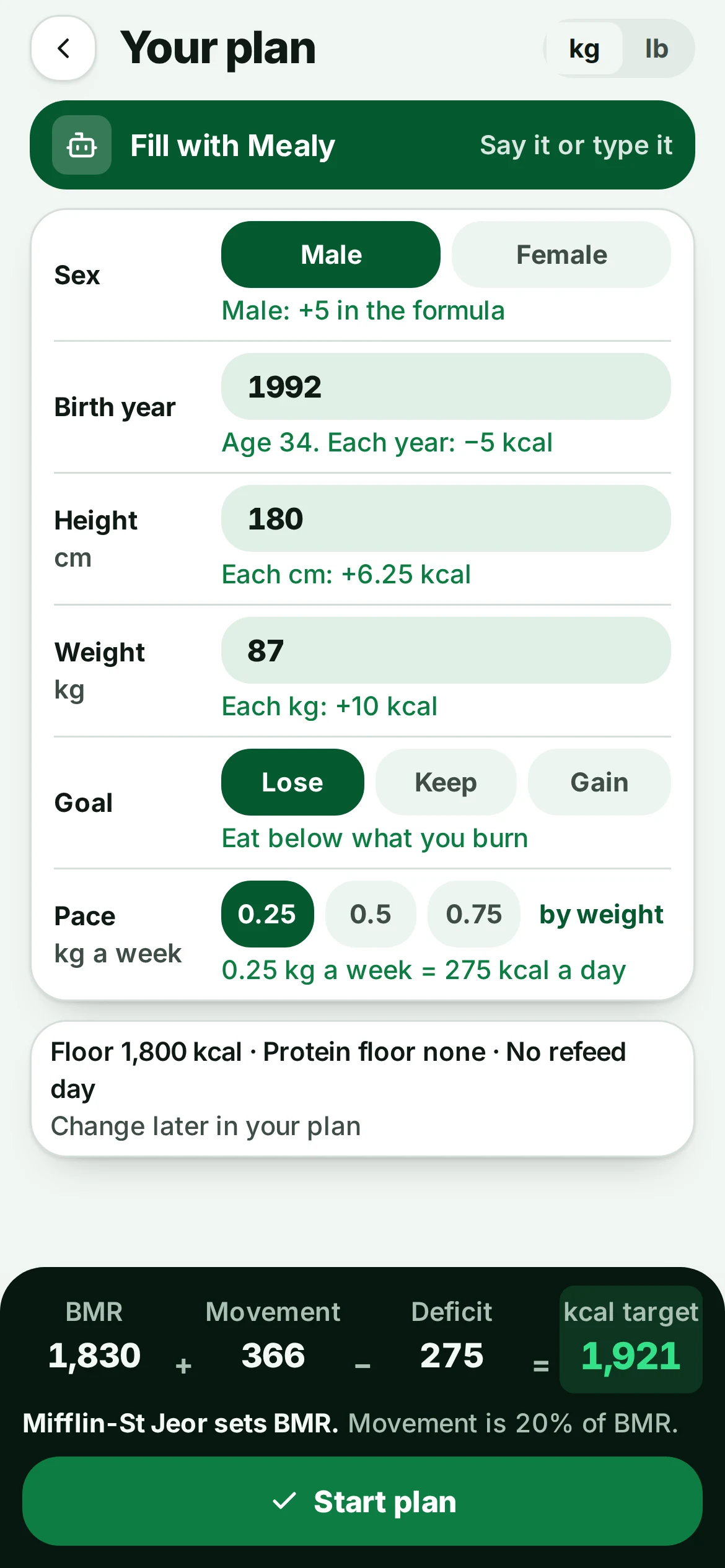
Your plan
Six fields on one screen, filled from one sentence if you like. The sum at the bottom shows how the target is made.
5 / 7
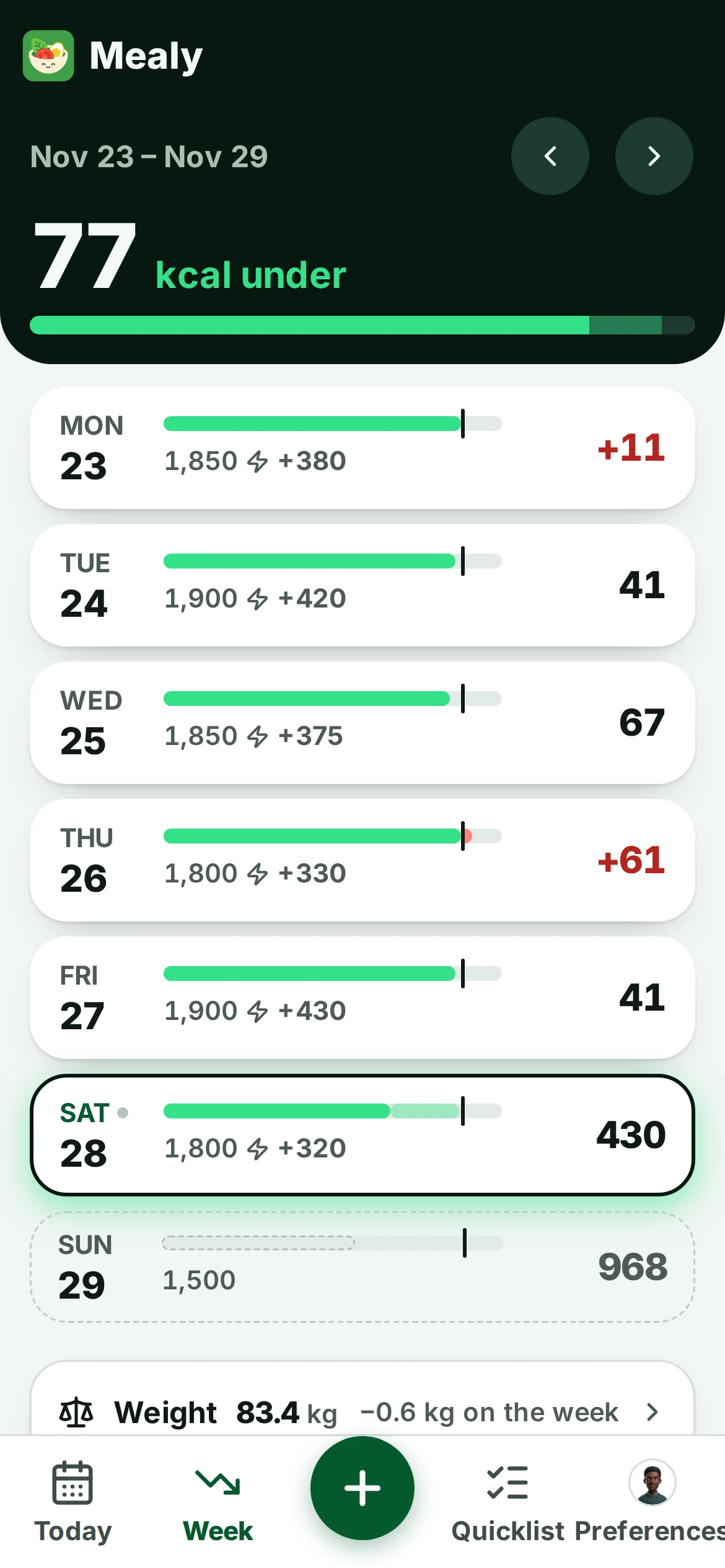
This week
Each day as one bar against its own target, with one number: under, over or planned.
6 / 7
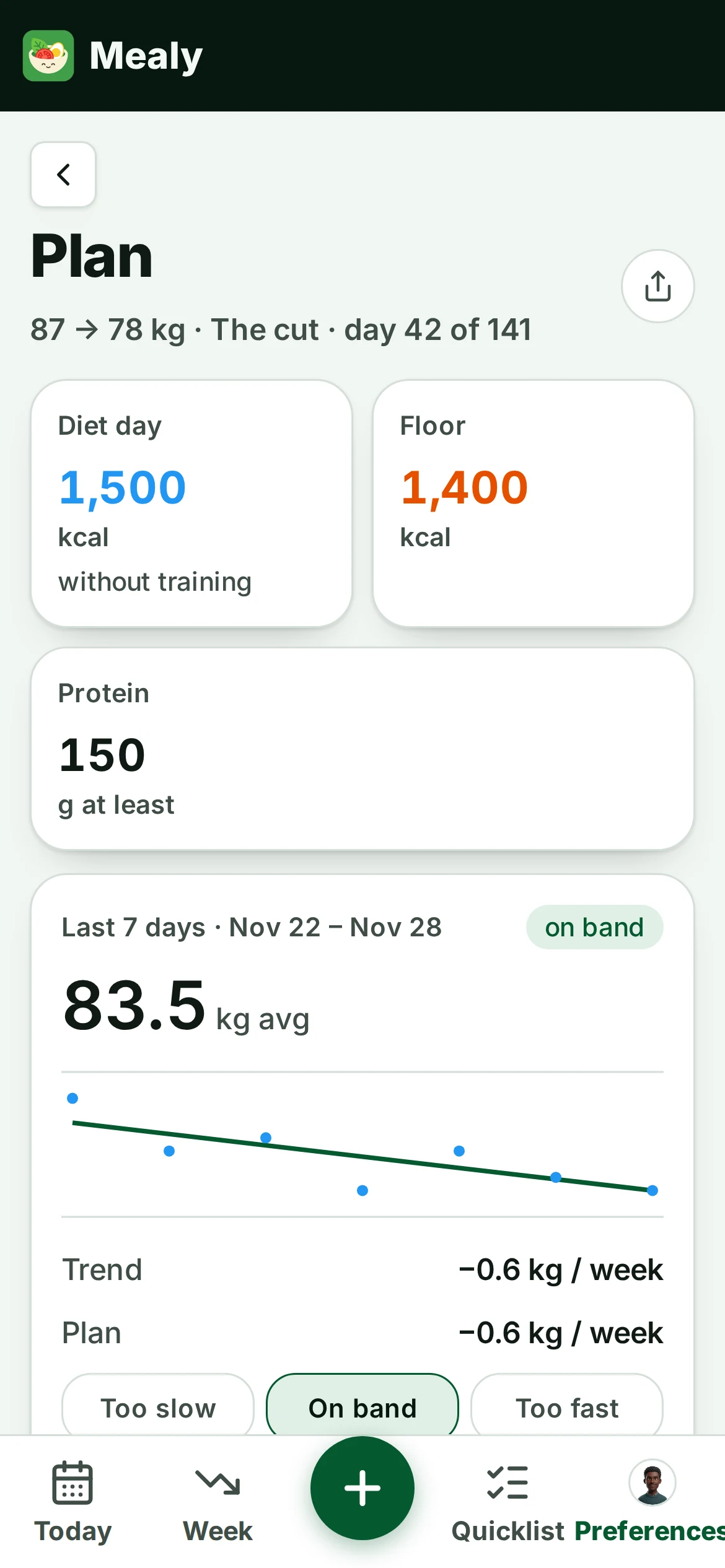
The plan behind the target
Your daily target, the calorie floor under it and your protein goal, with the last seven days.
7 / 7
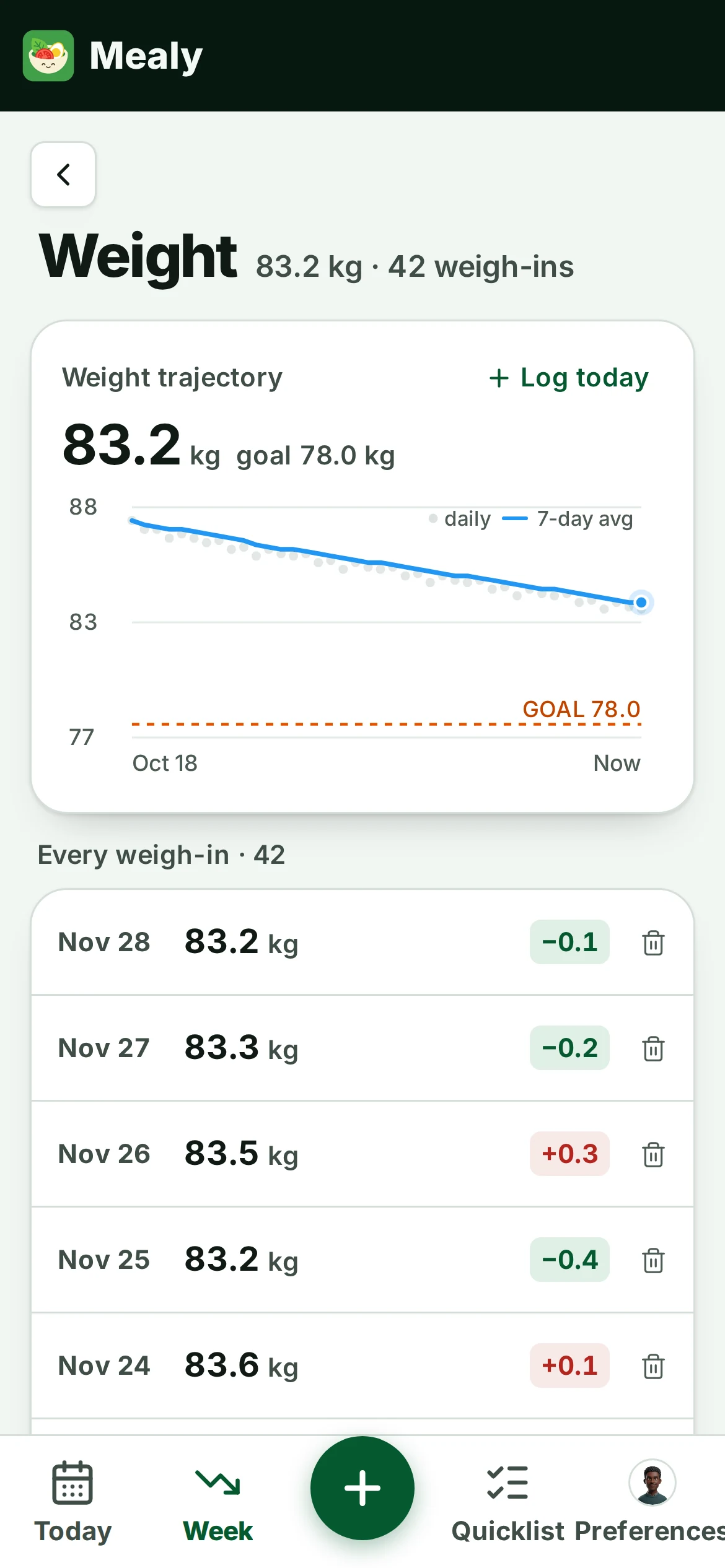
Weight
Every weigh-in, the seven-day average and the line to your goal.
How the target is worked out
Plain arithmetic, every day.
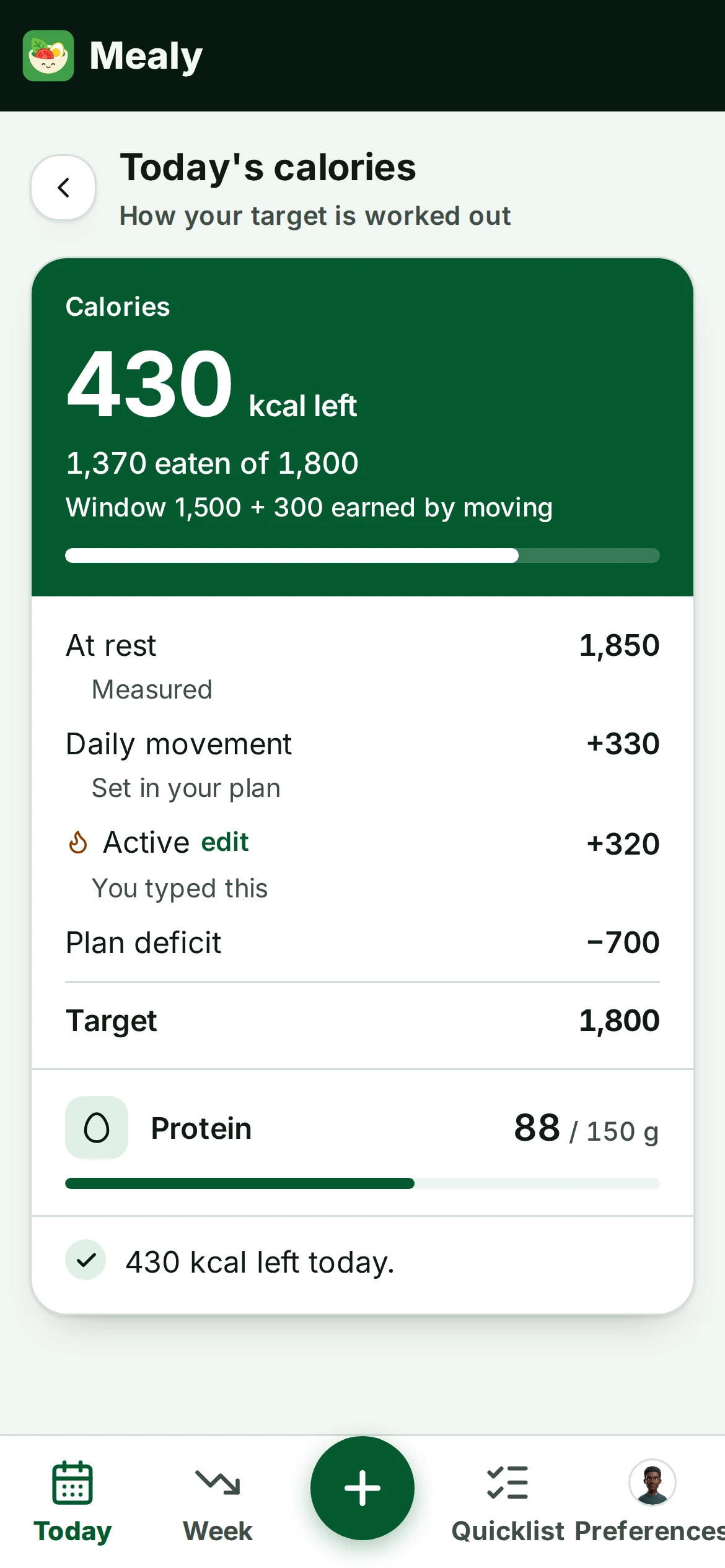
Each day’s target is a short sum that Mealy shows in full. In the example day:
- At rest: what you burn doing nothing, 1,850 kcal.
- Daily movement: what an ordinary day adds, 330 kcal.
- Active: what you typed or your watch counted today, 320 kcal.
- The plan’s deficit comes off, 700 kcal. Today’s target: 1,800 kcal.
Mealy makes no promise about results. It shows the numbers so you can judge them.
Quicklist and recipes
Your usual foods, and your own recipes.
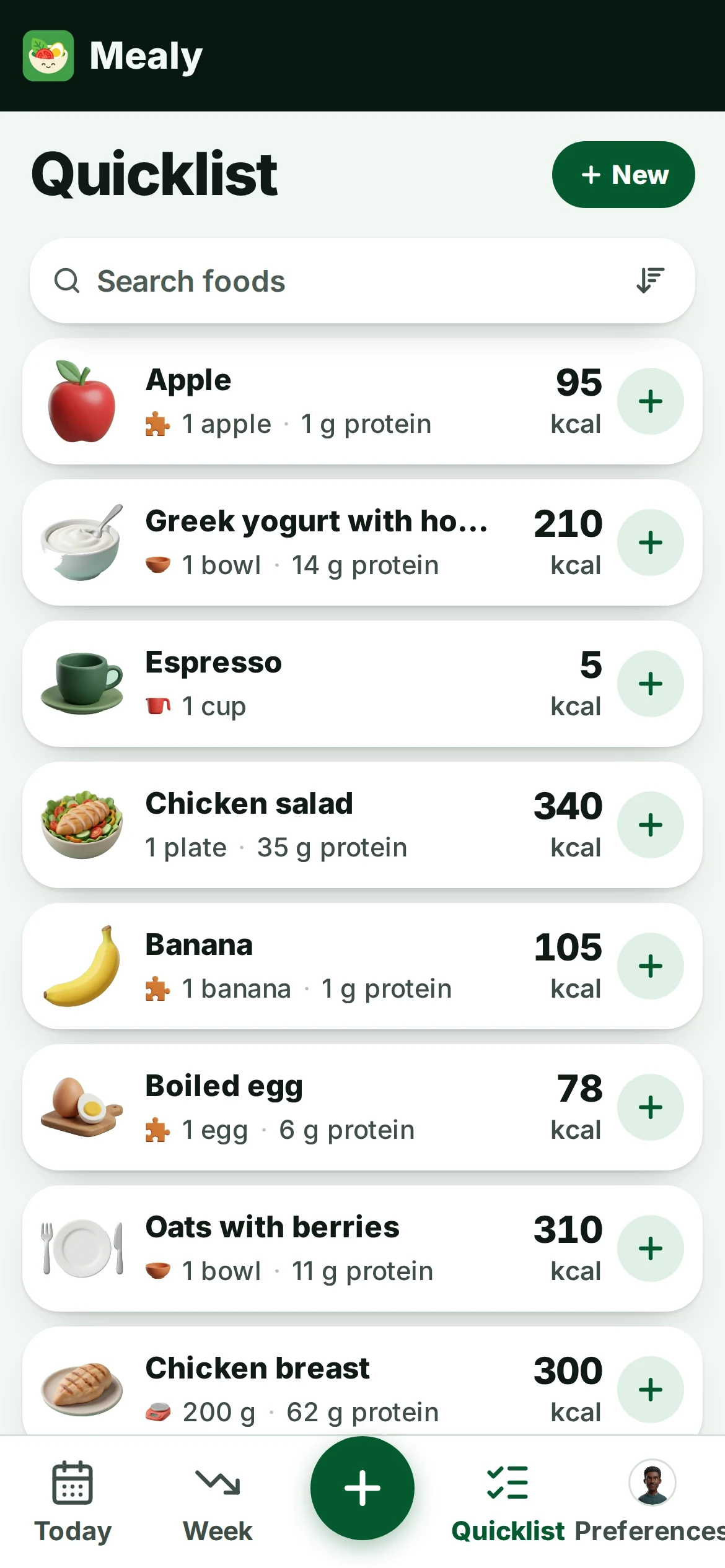
Save a food with its serving, or a recipe with its ingredients and how many servings it makes. Each food shows its picture, and one tap logs a serving.
Shopping lists
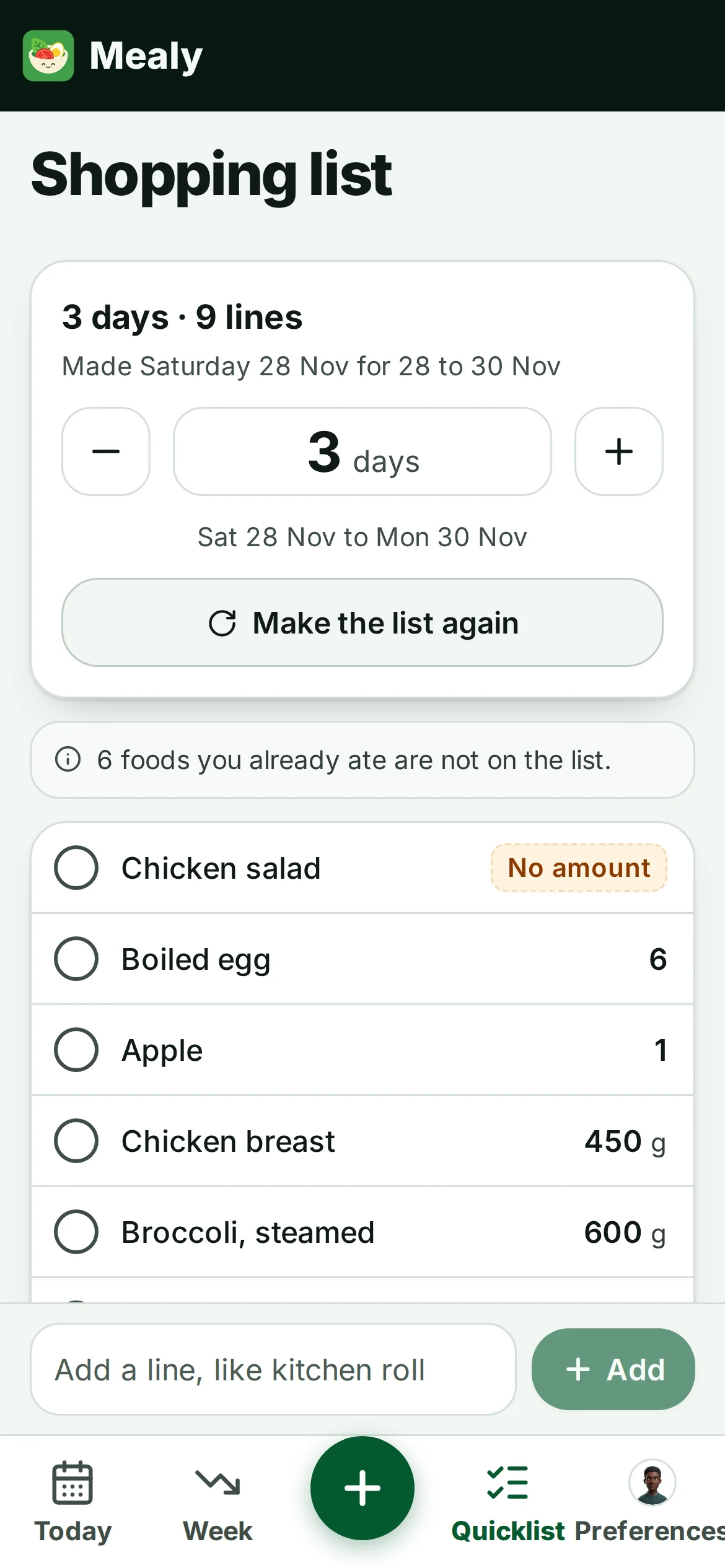
A shopping list from the days you planned.
Plan the next days, then make a list. Mealy adds up the amounts and leaves out what you already ate. Cross lines off in the shop.
Beyond the phone
On your wrist, and in Claude.
Platforms
What works today
The web app has the same screens as the phone app: Today, the +, Say it, the Quicklist, the Week, the plan, weight and shopping lists.
Web app
Open todayUse Mealy in any browser, on a computer or a phone.
Open the web appAndroid
Coming soonBeing finalised. No date yet.
iPhone
After AndroidWork starts once Android is out.
Garmin watch
Coming soonA free companion app. Preview screens below.
Start today
Start with the web app today.
The Android and iPhone apps follow. Your account will be there when they arrive.
What does the app cost?
Pricing has not been announced yet. The Garmin companion app will be free.
Can I take my data with me?
Yes. Preferences › Your data downloads everything you keep in Mealy as a zip you can read, and loads it into a Mealy account.
Who sees my food log?
Only you, unless you connect a coach or an assistant yourself. You can remove an assistant at any time under Preferences › Connected assistants.
How do I delete my account?
In Preferences › Account and sign-in › Delete account. It removes everything, for good.